
Build 7
Shipped: 2026.08.24
Signing in to Xlate has been tightened up in this build. Accounts are now created and maintained by the administrator alone, and the pages that used to let you do that yourself explain where to go instead. Nothing in the translation pages has changed, and no account has to be recreated.
Accounts are created by the administrator
Self-registration has been removed. The Register link is gone from the top-right corner, and the registration page now tells you to ask for an account instead of offering the form. If you need an account for a colleague, ask the administrator to create it.
Forgotten passwords
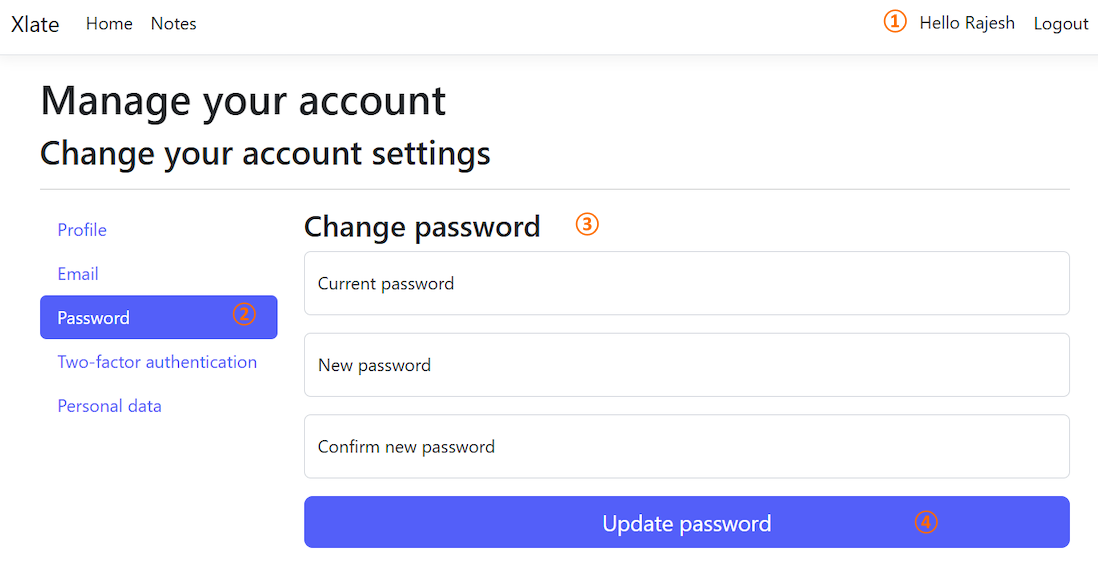
Xlate has no mail service, so it can neither send you a reset link nor verify an address. The Forgot your password? page says as much: ask the administrator to set a new password for the account, sign in with it, and then pick one of your own from Hello <name> in the top-right corner, followed by Password.
Your email address is your login name
The Email page under the account settings now shows the address read-only. It is the name you sign in with, and changing it is an administrator’s job. The page carries a note to that effect, so the disabled box does not read as a fault.